
Getting Started
- Install ForIT Solutions® ownOCR Server and activate the license key
- Create an OCR Folder (hot folder) definition
- Configure the input and the output folder
- Enable barcode recognition
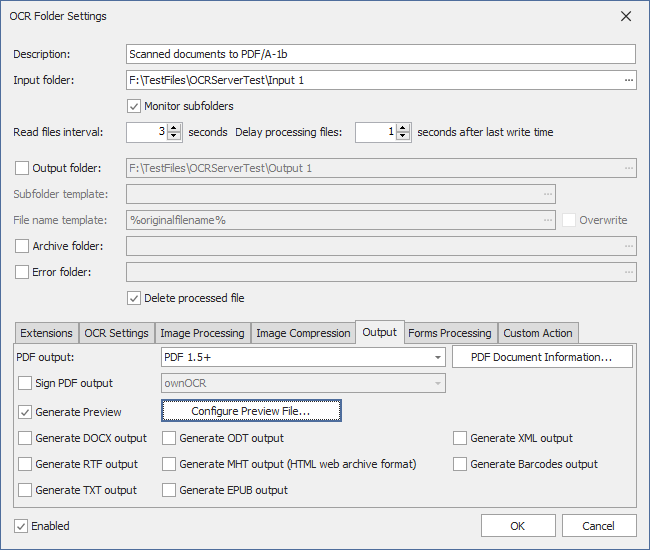
- Configure the output file format
- Copy files to the input folder
- Process files & check the result
Hotfolders – OCR Folder Definitions
- Unlimited number of monitored OCR Folders (Hotfolders)
- Files from OCR Folders are automatically recognized and processed based on predefined settings
- OCR result files are copied to the output folder (if defined)
- Source files are copied to the archive folder (if defined)
- Files which cannot be processed are copied to the error folder (if defined)
- Option to delete source files
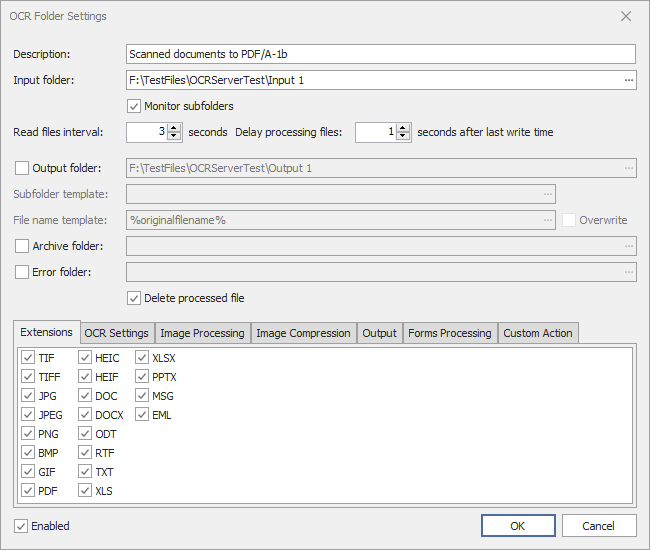
- File extension filter (i.e. tiff, pdf, jpg)
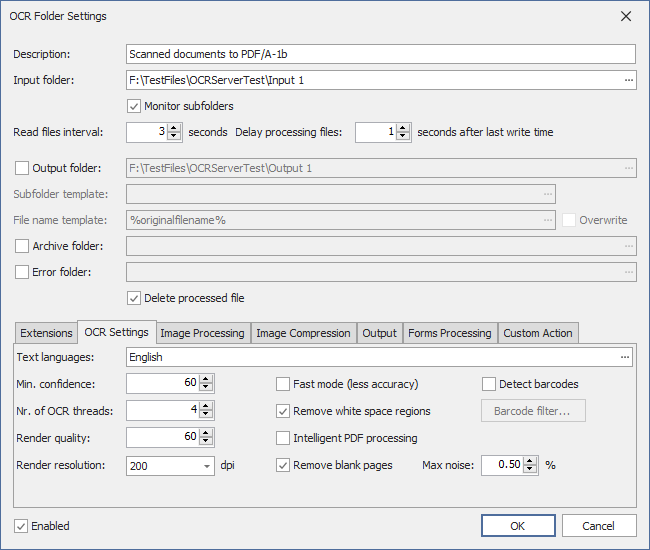
- Recognition languages and other OCR settings
- Intelligent processing of PDF documents (pages which already contains text are not processed)
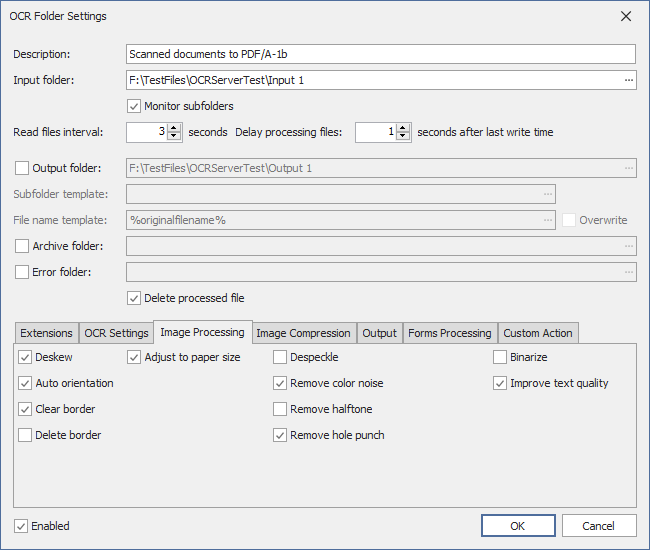
- Image processing and document cleanup options
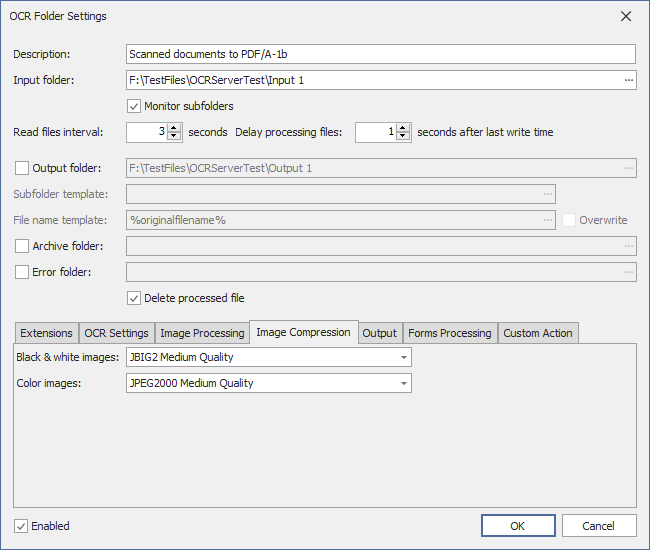
- Image compression settings for PDF documents
- Office document conversion to PDF or PDF/A
- Digitally sign PDF output
- Multiple output formats (PDF, PDF/A, DOCX, RTF, ODT, TXT, MHT, XML, EPUB)
- Barcode recognition and write recognized barcodes to CSV file
- Automatically fill PDF document information based on variables
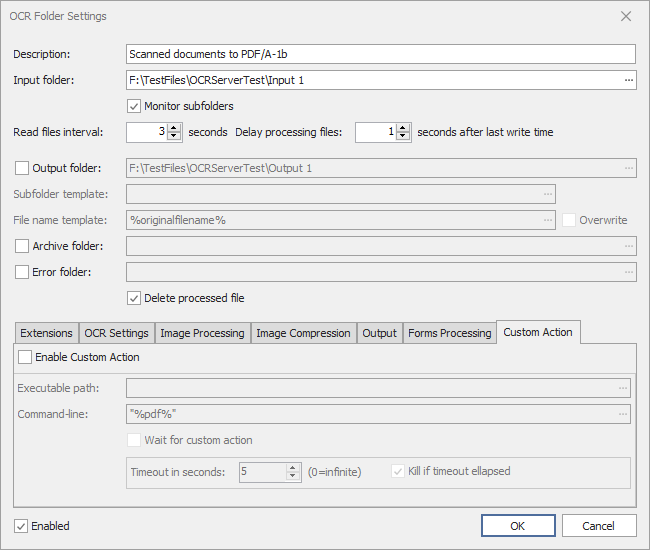
- Custom action which should be launched after a file is processed (command-line is configurable)
CLI interface
ForIT Solutions® ownOCR CLI is a command-line application based on the RESTful Web Services API exposed by the ownOCR Server. The application uploads the file to the ownOCR Server and waits for the conversion result.
- Drag&drop the file directly to the ownocrcli.exe
- Call the application from standard command prompt
- Use various command-line parameters
- Use various API parameters (deskew, remove hole punch, PDF conformance, signature profile)
- Convert and digitally sign image and Office documents to PDF or PDF/A
Download the ownOCR CLI documentation
Download ownOCR CLI – preconfigured for the local installed ownOCR Server
Download ownOCR CLI – preconfigured for the DEMO ownOCR Server
RESTful Web Services API
- Connect to ownOCR Server
- Create an OCR job
- Set OCR job options
- Upload file to the OCR job
- Schedule the OCR job for processing
- Get the status and other information about the OCR job
- Download the result PDF document
ForIT Solutions® ownOCR Server provides comprehensive, fully documented, RESTful Web Services API which allows developers to:
- Create jobs
- Configure job settings (OCR parameters, image processing and cleanup, barcode recognition, etc.)
- Upload files to OCR jobs
- Define multiple output formats
- Schedule jobs for processing
- Retrieve job status
- Download the OCR / conversion result files
- Enumerate hotfolders (OCR Folder Definitions)
- Convert Office documents to PDF or PDF/A
- Convert image documents to fully searchable PDF or PDF/A
- Post files to hotfolders
The RESTful Web Services API allows the developer to create job templates with predefined settings, later, jobs can be created based on these presets.
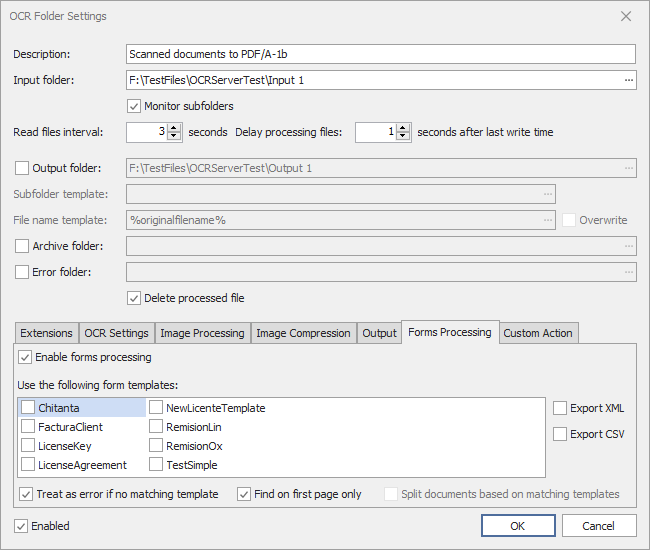
Forms Processing
- Define various form fields (text, numeric, date, integer)
- Define conditions using the built-in condition editor
- Define C# scripts to adjust the recognition result of the form fields
- Define C# scripts to evaluate the template
- Use the recognized form fields in PDF document information
- Use the recognized form fields for subfolder and filename
- Export form fields as metadata in XML or CSV
Forms Processing Features
- Fill in PDF document information (metadata) fields based on extracted information
- Automatic document identification and classification based on predefined document templates
- Create conditions using the built-in expression editor and C# code editor
- Extract and export information fields from documents and export as metadata in XML or CSV